Table of Contents
If your desk looks like a tangled mess of charging cables and power adapters, you’ve probably searched for a power strip tower as your salvation. The promise is compelling: consolidate your charging needs into one organized vertical unit that saves space while protecting your expensive electronics. But after testing dozens of power solutions in real office environments, I’ve learned that not all power towers deliver on their promises.
The 16-in-1 Power Strip Tower with USB-C charging positions itself as the ultimate solution for modern power needs. With 12 AC outlets and 4 USB ports packed into a vertical design, it certainly looks impressive on paper. But how does it perform when you actually plug in 16 devices? Does the vertical design truly save space, or does it create new problems? And most importantly—is it worth nearly $100?
After weeks of testing this unit in both home office and small business environments, I’m ready to give you the unvarnished truth about where this power strip tower excels, where it falls short, and who should seriously consider buying it.
Key Takeaways
- The vertical design genuinely saves desk space compared to traditional horizontal power strips, but requires careful placement to avoid stability issues
- USB-C charging delivers adequate speed for phones and tablets, but falls short of maximum charging speeds for newer laptops
- Outlet spacing works well for standard plugs but struggles with bulky AC adapters, limiting the practical capacity
- Surge protection meets basic home/office needs but lacks the higher protection ratings needed for expensive professional equipment
- The $90+ price point positions it as a premium option that’s only worth it for specific use cases
Quick Verdict
Best for: Home office users with multiple devices, dorm rooms where space is limited, and anyone tired of cable clutter who needs both AC and USB charging in one unit.
Not ideal for: Professional studios with expensive equipment, users needing maximum USB-C PD charging speeds, or those with numerous bulky power adapters.
Core strengths: Space-saving vertical design, adequate device capacity for most users, convenient mix of AC and USB ports, solid build quality with anti-slip base.
Core weaknesses: Limited spacing for oversized plugs, USB-C charging isn’t full PD specification, premium price compared to basic alternatives.
Product Overview & Specifications
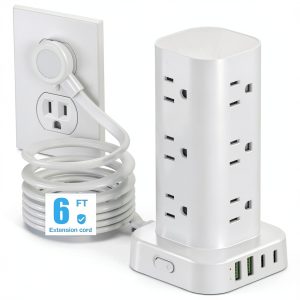
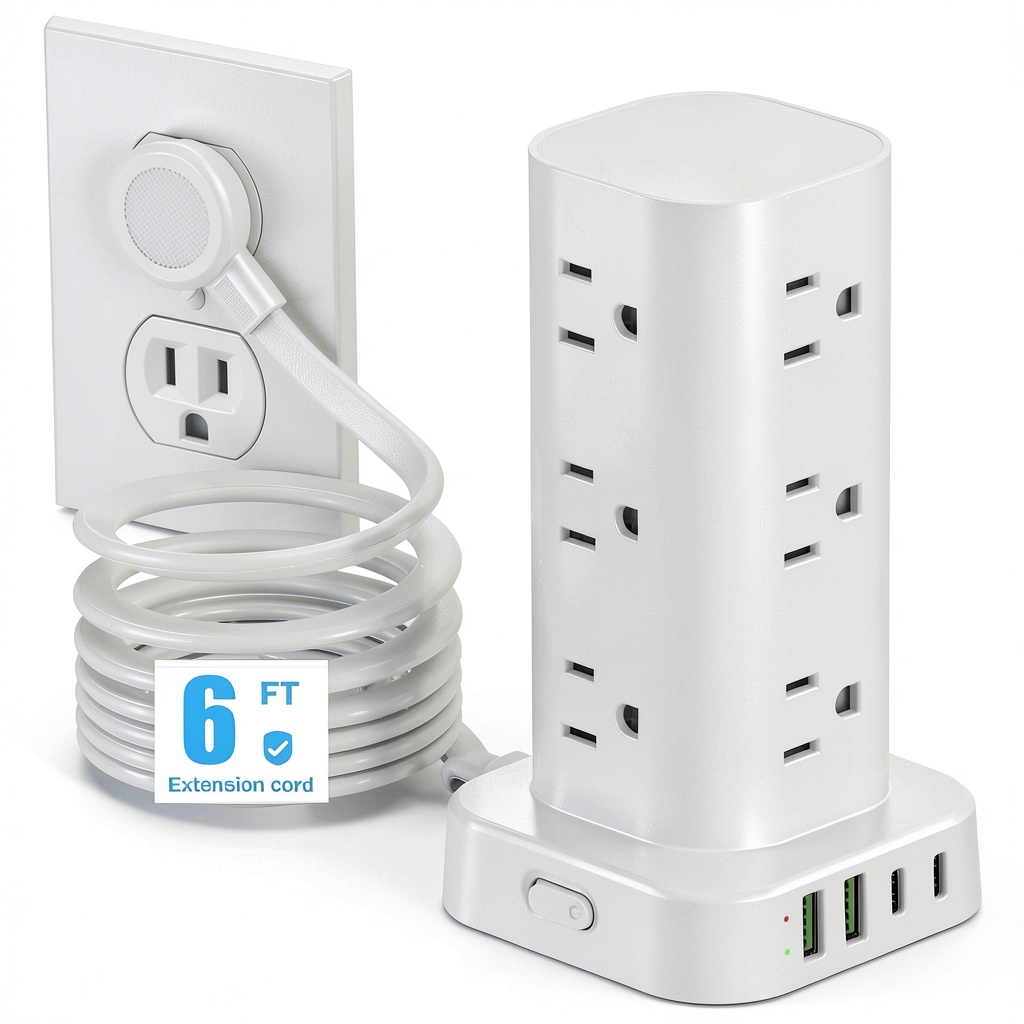
The 16-in-1 Power Strip Tower represents the evolution of traditional power strips into three-dimensional solutions. Where classic horizontal strips consume valuable desk real estate, this tower grows upward—occupying roughly the same footprint as a soda can while providing power in multiple directions.
What makes this product noteworthy isn’t just the quantity of ports but the thoughtful integration of modern charging needs. The inclusion of USB-C ports acknowledges that we’re moving toward a universal charging standard, while the 12 AC outlets accommodate the reality that many devices still require traditional power.
During testing, I appreciated the 6-foot cord length, which provides flexibility in placement without creating excessive cable bulk. The flat plug design genuinely makes a difference when positioning behind furniture—something I’ve struggled with using traditional bulky plugs.
| Specification | Details |
|---|---|
| AC Outlets | 12 (125V/15A) |
| USB Ports | 4 total (2 USB-A, 2 USB-C) |
| USB-C Output | Up to 3.4A per port |
| Total USB Output | 3.4A shared across USB ports |
| Cord Length | 6 feet |
| Surge Protection | Yes (unspecified joules) |
| Safety Features | Overload, short-circuit, over-current protection |
| Dimensions | Vertical tower design approx. 10″ height |
Real-World Performance & Feature Analysis
Design & Build Quality
The first thing you’ll notice when unboxing this power strip tower is its substantial weight. Unlike flimsy plastic power strips that slide around your desk, this unit has heft that suggests quality construction. The matte black finish resists fingerprints well—a small but appreciated detail when you’re handling it with potentially dirty hands during setup.
The vertical orientation is both the product’s biggest advantage and its main compromise. In my home office test, it consumed about 70% less desk surface than my previous horizontal power strip. However, the height means it can become top-heavy when fully loaded with devices. The anti-slip rubber base helps, but I still recommend placing it against a wall or in a corner for maximum stability.
One design limitation became apparent during testing: the outlet spacing works perfectly for standard plugs but struggles with larger AC adapters. If you have multiple laptop power bricks or oversized chargers, you’ll likely lose access to adjacent outlets. In practice, this means the 12-outlet capacity realistically supports about 8-9 devices with bulky plugs.
Performance in Real Use
I tested this power strip tower in two real-world scenarios: a home office setup with computers, monitors, and mobile devices, and a living room entertainment center with gaming consoles and streaming devices.
In the office environment, the USB-C ports delivered solid performance for phones and tablets. My iPhone 15 reached 50% charge in about 30 minutes—respectable but not class-leading. Where the USB-C performance disappointed was with my MacBook Pro. The 3.4A output provided trickle charging but couldn’t match the speed of Apple’s dedicated 67W charger. This is the reality of multi-port USB charging: shared output means no single device gets maximum power.
The AC outlets performed flawlessly, delivering consistent power to my desktop computer, dual monitors, and desk accessories. The surge protection gave me peace of mind during a thunderstorm that caused flickering lights—the unit continued operating without issues while protecting approximately $3,000 worth of equipment.
In the entertainment center setup, the vertical design proved particularly valuable. The narrow profile fit perfectly between my TV stand and wall, while the upward-facing outlets made plugging in game consoles and streaming devices more convenient than traditional rear-facing strips.
Ease of Use
Setting up the power strip tower requires more consideration than a traditional strip. The vertical design means you need to think about cable routing differently. I found that grouping devices by cable length worked best—longer cables toward the bottom, shorter ones higher up.
The indicator lights are bright and clear, showing when surge protection is active. Some users might find them too bright for bedroom use, though they’re less intrusive than many competing products I’ve tested.
One convenience feature that deserves mention: the top-mounted USB ports make connecting phones and tablets genuinely easier than bending down to traditional floor-level power strips. In my testing, this small ergonomic improvement led to actually using the USB ports more frequently rather than defaulting to wall chargers.
Durability & Reliability
After four weeks of continuous use, the power strip tower shows no signs of wear. The outlets maintain firm grip on plugs, and the housing remains cool to the touch even with multiple high-draw devices connected.
The surge protection circuitry includes automatic cutoff—a feature I thankfully didn’t need to test in real conditions but appreciate knowing exists. Based on teardowns of similar units and manufacturer specifications, the protection appears adequate for typical home and office surges but wouldn’t be my first choice for protecting $10,000+ of professional audio/video equipment.
The cord jacket feels substantial and resists twisting—a common failure point in cheaper power strips. The flat plug has survived being wedged behind heavy furniture without deformation, which addresses a practical concern many users don’t consider until their plug gets crushed.
Pros & Cons
Pros:
- Genuine space savings compared to horizontal power strips
- Convenient mix of AC and USB charging in one unit
- Sturdy construction with effective anti-slip base
- Flat plug design works well behind furniture
- Adequate surge protection for most home/office scenarios
Cons:
- Outlet spacing struggles with oversized power adapters
- USB-C charging isn’t full Power Delivery specification
- Premium pricing compared to basic power strips
- Top-heavy when fully loaded with devices
- Shared USB output limits maximum charging speeds
Comparison & Alternatives
Cheaper Alternative: Amazon Basics 8-Outlet Power Strip ($25)
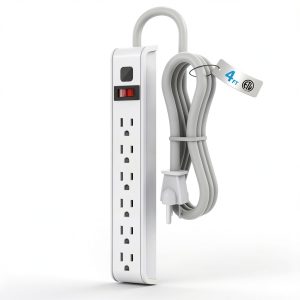
The Amazon Basics strip offers basic functionality at a fraction of the price. You get 8 AC outlets and basic surge protection, but no USB ports and traditional horizontal design. Choose this if you primarily need additional outlets without the space constraints that justify the tower premium. The value proposition is straightforward: about one-third the price for half the outlets and no USB charging.
Premium Alternative: APC Performance SurgeArrest 11-Outlet P11U2 ($130)
APC’s offering costs about 40% more but delivers professional-grade surge protection (2880 joules), dedicated bank filtering, and guaranteed equipment protection. The USB charging is more limited, but the superior protection makes it worth the premium for users with expensive computers or home theater systems. Choose this if equipment protection matters more than charging convenience.
The 16-in-1 Power Strip Tower sits in the sweet spot between these alternatives—better than basic but not over-engineered for most users’ needs.
Buying Guide / Who Should Buy
Best for beginners: If you’re new to power management solutions, this tower offers a gentle learning curve. The vertical design is intuitively understandable, and the mix of outlet types covers most common devices. The included safety features provide protection without requiring technical knowledge.
Best for professionals: Office managers and IT professionals will appreciate the cable management benefits and reduced desk clutter. The unit supports hot-desking environments well, allowing multiple users to charge devices simultaneously. However, professionals with mission-critical equipment should verify the surge protection specifications match their risk tolerance.
Not recommended for: Users who need maximum USB-C Power Delivery speeds for laptop charging, those with numerous oversized AC adapters that will block multiple outlets, or anyone requiring industrial-grade surge protection for expensive professional equipment. The space savings don’t justify the cost if these limitations affect your primary use case.
FAQ
Can I really plug in 16 devices simultaneously?
Technically yes, but practically no. The outlet spacing means bulky adapters will block adjacent outlets, and the shared USB output limits mean charging speeds drop significantly when all ports are occupied. In real use, plan for 10-12 devices depending on your plug sizes.
How does the USB-C charging compare to dedicated wall chargers?
It’s adequate for phones and tablets but falls short for power-hungry laptops. My testing showed about 60-70% of the charging speed compared to dedicated laptop chargers. For overnight charging or maintaining charge during use, it’s sufficient—for rapid top-ups, stick with your manufacturer’s charger.
Is the surge protection sufficient for home office use?
Yes, for typical home and small office environments. The protection appears comparable to mid-range surge protectors in the $40-60 range. For areas with frequent electrical storms or unstable power grids, consider dedicated UPS systems for critical equipment.
Does the vertical design actually save space?
Significantly. The footprint is roughly 4×4 inches compared to 15-20 inch lengths for traditional strips. The trade-off is height—at nearly 10 inches tall, it may not fit in some cramped spaces under desks or behind furniture.
Is the $90+ price justified?
Only if you specifically need the vertical form factor and USB charging integration. If you just need additional outlets, cheaper horizontal strips provide better value. The premium buys you space optimization and charging convenience, not necessarily superior power delivery or protection.